Every scene goes through the same production pipeline. You control the creative direction — AI handles the technical execution.
1
Describe your scene
Write what you want to see — the setting, characters, mood, and action. Pick characters from your roster or create new ones. Choose how long it runs, up to 8 seconds. Each scene is one shot; longer stories are more scenes.
Example:“Charlie walks alone through rain-soaked neon streets at night. His cybernetic left eye glowing faintly cyan. He pauses at a data kiosk, scanning the headlines.”
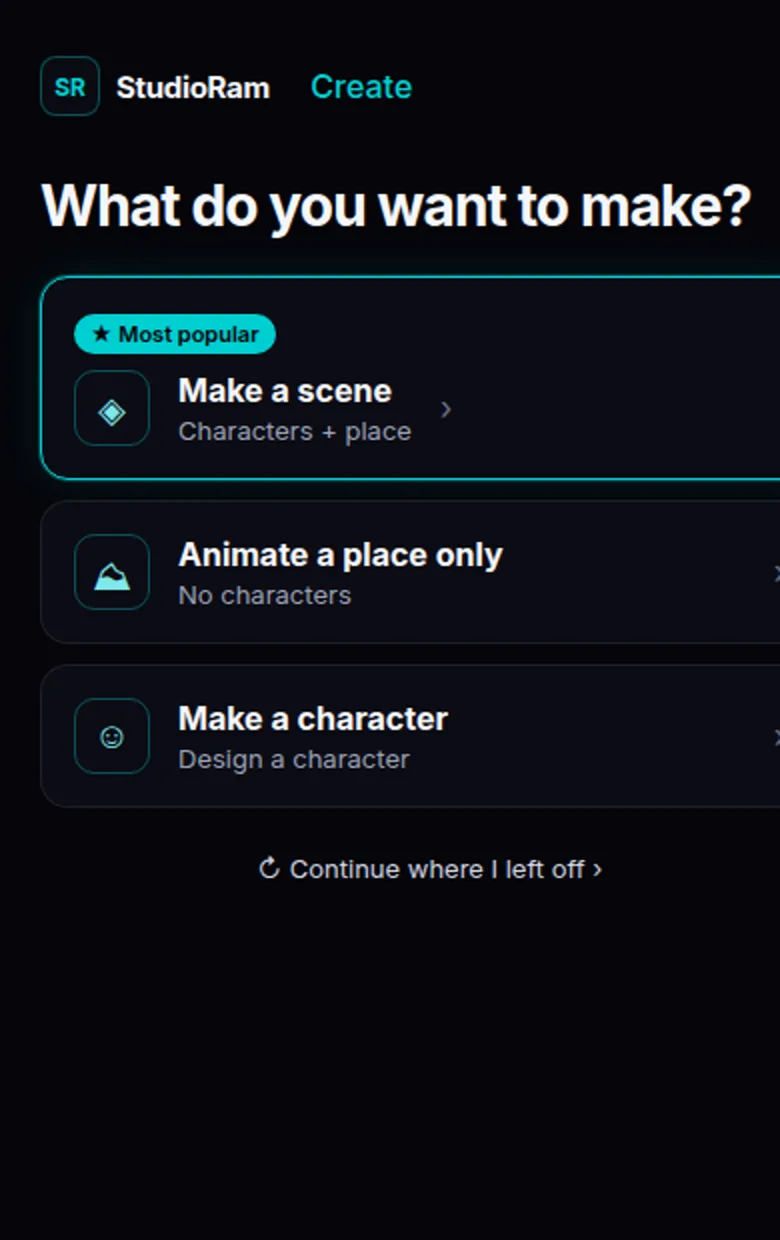
Start on Make a scene (characters + place). Use Make a character if you still need a face in the roster.
2
AI Director plans your shot
The AI Director reads your scene and plans the shot — just like a real film director would. The plan covers:
Camera angle — low-angle tracking, push-in, establishing wide, etc.
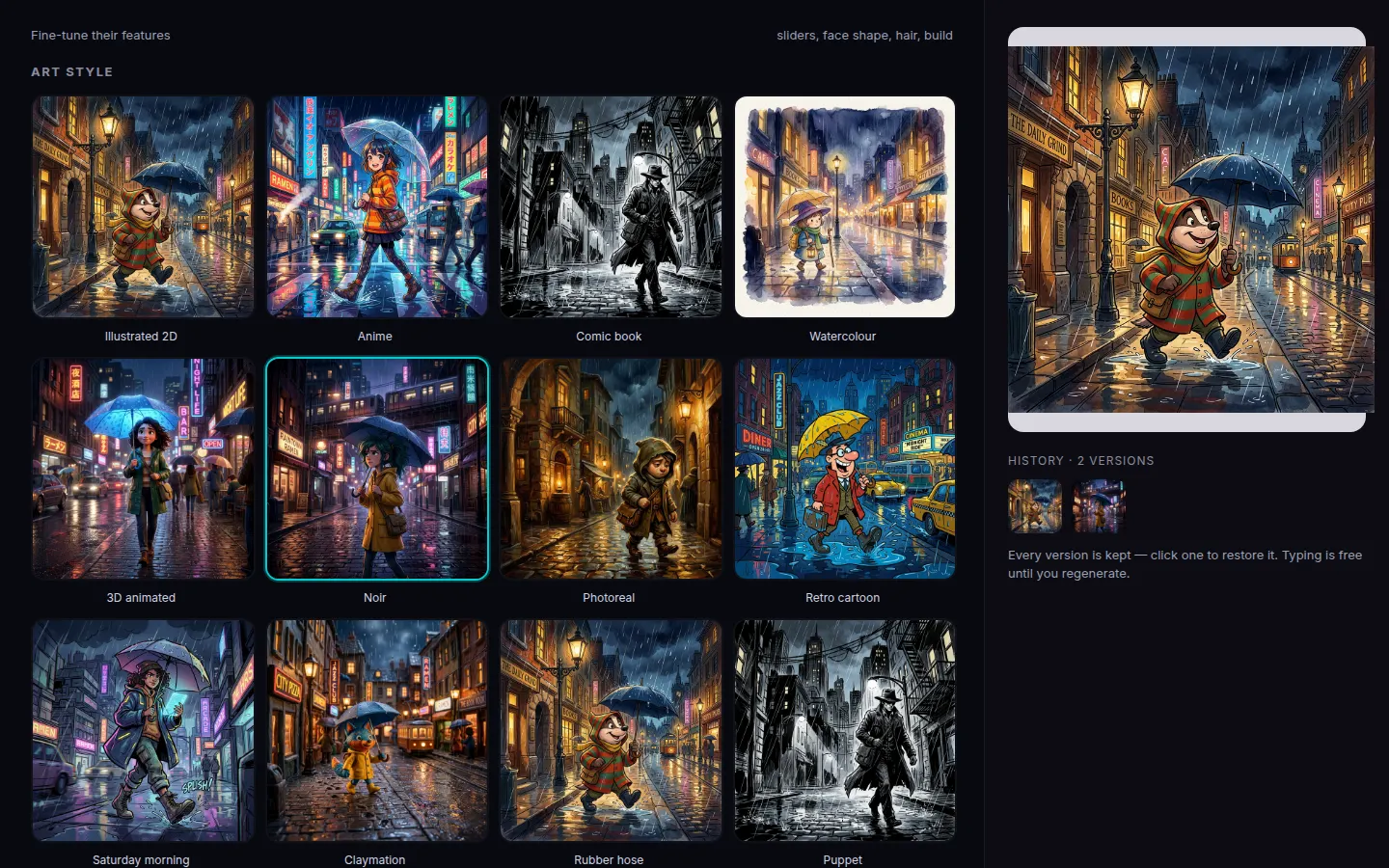
You can edit the plan before proceeding. Style and coloring lock the look before video starts.
Open Art style and pick a look (Noir is selected here). History keeps every version — click a thumb to restore.
3
Preview looks
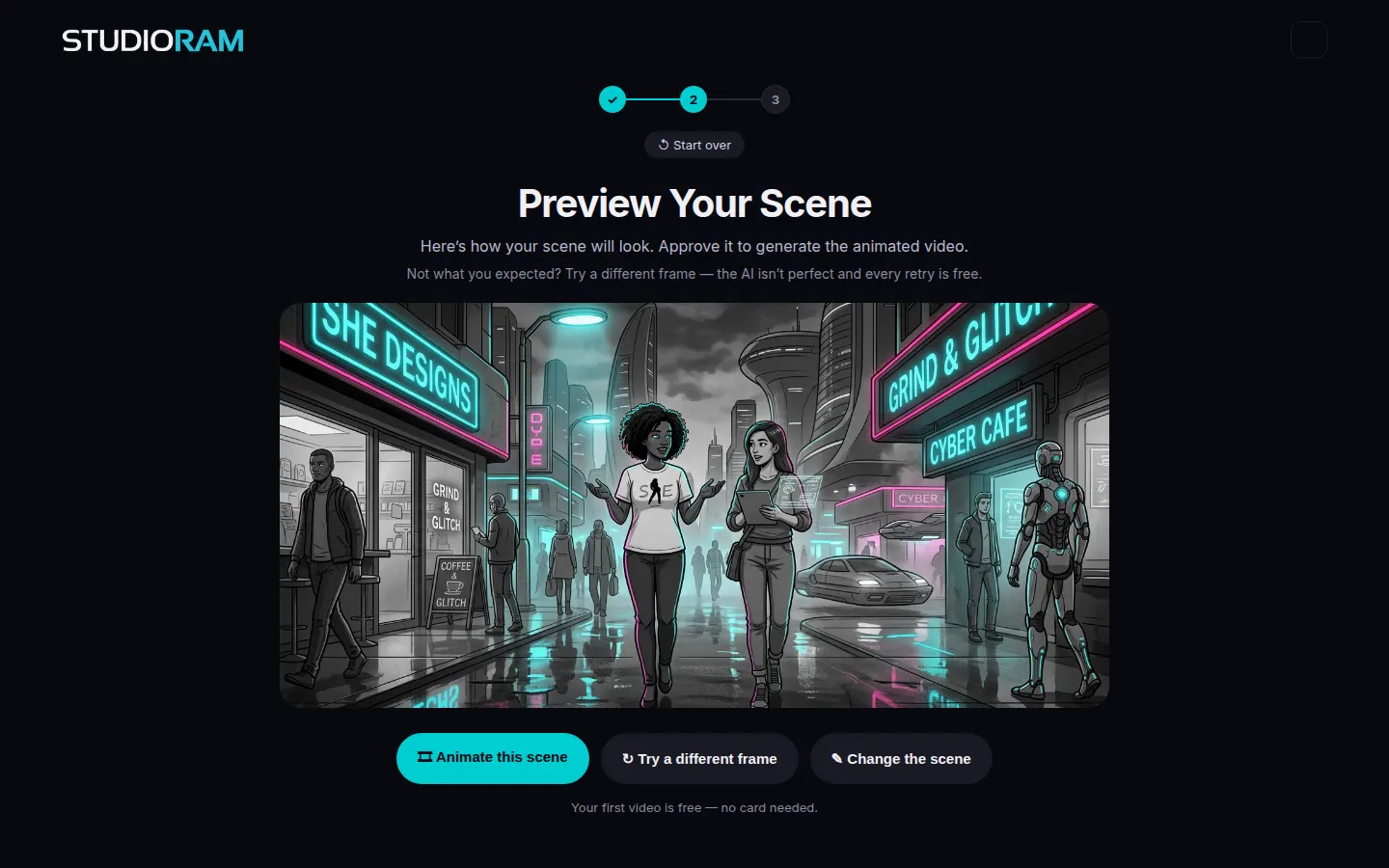
You can preview a still look for a shot and iterate before spending a full video render. Reworking a look is faster and cheaper than generating video — use it when you want to check the framing or character before you commit credits.
Like the frame? Hit Animate this scene. Not quite? Try a different frame — retries on looks stay cheap.
4
Generate video
Your shot becomes a video clip of up to 8 seconds (about six is typical). The self-healing QA pipeline automatically:
Grades every frame (A/B/C)
Detects issues — disappearing objects, extra limbs, style changes
Re-renders bad segments from the last good frame
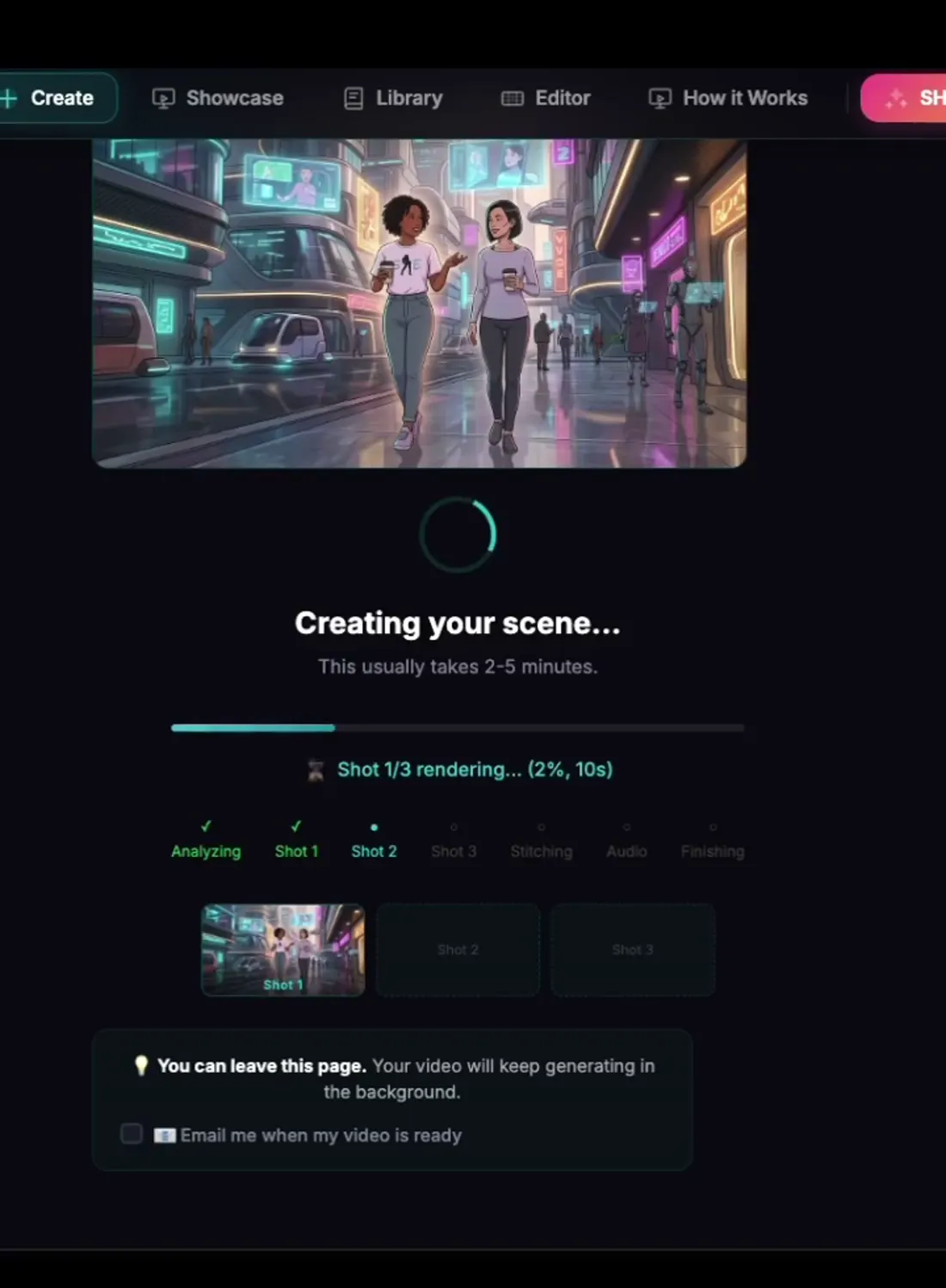
You can leave this page — generation keeps going. Watch the shot checklist fill in, then open the result.
5
Review & export
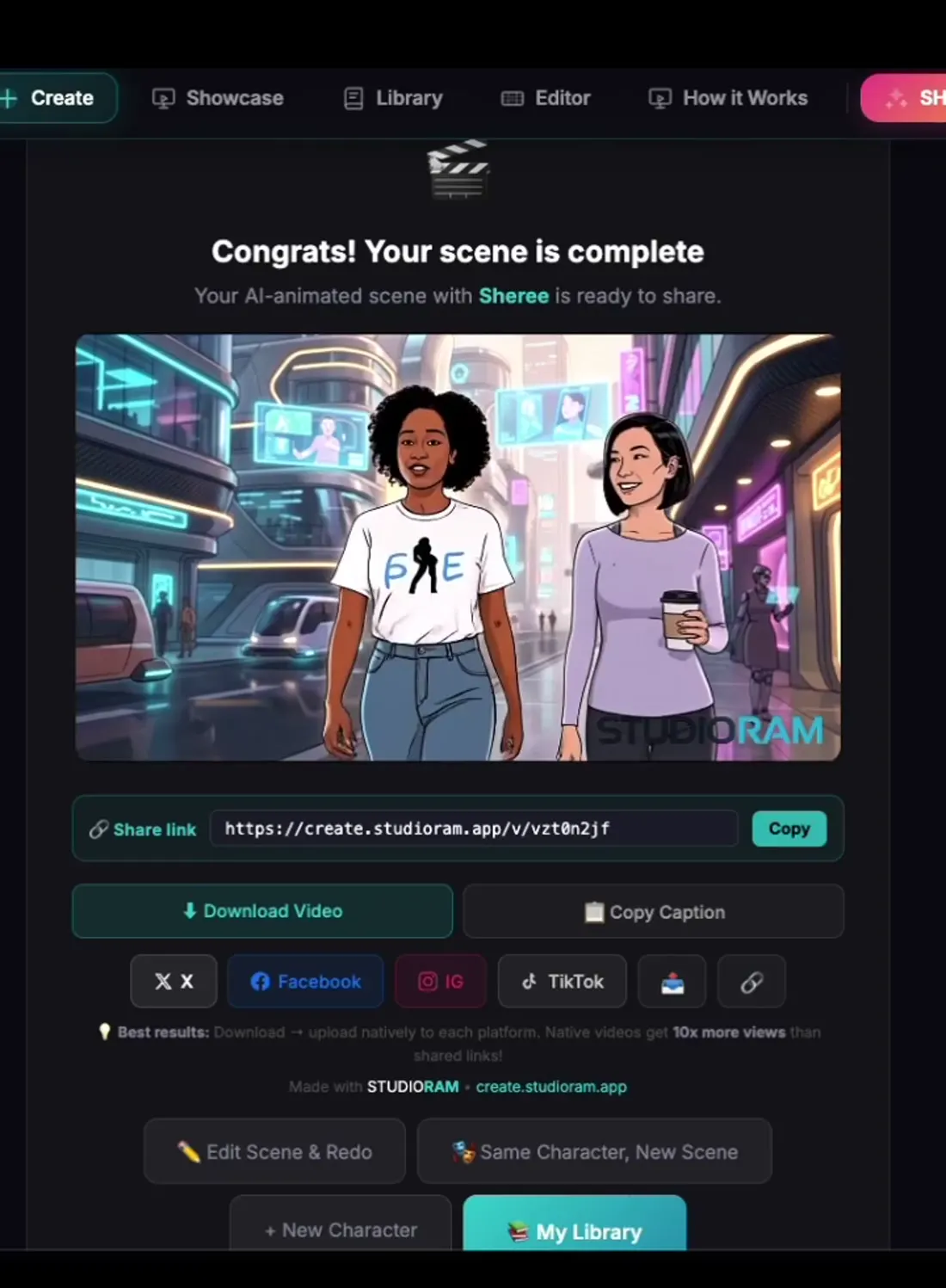
Review the result, change the voice if you want, and download your finished MP4 — watermark-free on paid scenes. To keep the story going, use What happens next: it starts a new scene on the last frame of this one.
Download the MP4, copy the share link, or jump back to make another scene with the same character.
Key features explained
The pieces that make a series hold together — not just a one-off clip.
Character consistency
This is StudioRam’s core technology. When you create a character, the system generates a character bible — a detailed specification of their appearance (face shape, hair, clothing, colors, proportions). Every generation references this spec, so your character looks identical whether they’re in Shot 1 or Shot 100. Other AI tools generate each clip independently — characters often change appearance between shots.
Character bible enforcement
The character bible isn’t just a reference — it’s enforced. The AI checks every generated frame against the spec. If Charlie’s jacket is supposed to be black with cyan accents, the system catches and flags any frame where it’s different. This is what makes multi-shot storytelling possible.
Automated QA per frame
After video generation, AI vision models analyze every frame for common AI video problems:
Style drift — lighting or palette shifting mid-shot
Continuity breaks — background architecture changing between frames
Character consistency — face or clothing alterations
Each frame gets a grade (A/B/C). Grade C frames trigger automatic re-rendering.
Multiple AI models together
StudioRam isn’t a single AI model — it’s a coordinated pipeline of specialized models:
Director AI — plans shots, camera angles, narrative arcs
Image AI — generates keyframe reference images
Video AI — converts keyframes into animated clips
QA AI — grades every frame, detects defects
Healing AI — re-generates bad segments automatically
Voice integration
Your first video ships with an AI voice already on the finished file. After you render, open Change Voice to browse or search the library — including accent search (Caribbean family and others) and a Male/Female filter. Listening is free and does not use a try. Free accounts get 1 Change Voice try. Paying customers get Change Voice included, with a daily cap. Uploading or cloning your own voice is paid and slot-gated. The $5.99 Voice pack adds more Change Voice tries and a slot to upload your own voice (clone).
Accent, mood, and voice live next to the scene. After render, Change Voice lets you swap the take without starting over.
Episode assembly
Combine multiple scenes into full episodes. The built-in editor lets you trim, reorder, and add transitions between scenes. Mix in dialogue, sound effects, and music, then export a single finished video.
Automatic error recovery
When the QA system detects bad frames, it doesn’t just flag them — it fixes them. The self-healing pipeline finds the last good frame, generates a continuation from that point, and seamlessly splices the new footage in. This loop repeats until every frame grades at least B.
What’s a scene?
A scene is one credit of finished animation: one continuous shot, up to 8 seconds.
You pick the length; a typical scene runs about six seconds
Camera angle, lighting, and movement planned for the shot
Automated quality checks and self-healing
A finished clip you can use as-is or combine with other scenes
To make longer content, add scenes. When a video finishes, What happens next starts a new scene on the last frame of the one you just made, with the same cast, place and look.
Quality & retries
You can preview looks and iterate before spending a full render. Reworking a still look is faster and cheaper than generating video. The golden path does not require you to approve every keyframe by hand.
If the final video has issues, the self-healing QA pipeline catches and fixes most problems automatically. For anything it misses, you can manually flag frames and trigger a targeted re-render.
Scene credits & pricing
StudioRam is pay-per-scene. Buy credits once and they never expire — or take the monthly plan if you make things every week. Pack prices match studioram.app/#pricing:
Free1 scene (watermarked), no card. First video includes an AI voice. 1 Change Voice try; listening is free
1 Scene$5.99 (one-time purchase)
5-Pack$24.99 (30 to 40 seconds of video)
15-Pack$59.99 (up to 2 minutes of video)
Creator$29/month: 15 scenes your first month, then 12 a month. Change Voice included (daily cap). Cancel anytime
Voice pack$5.99 one package: more Change Voice tries and a slot to upload your own voice (clone). Own-voice upload is paid and slot-gated